GoHighLevel / PROJECT USE CASE
90-Day Dormant Contact Reactivation Workflow
Automated re-engagement campaign that identifies and nurtures dormant contacts with personalized messaging sequences.
INTERACTIVE WORKFLOW DEMO
Find contacts ready to reconnect.
Try the illustrative 90-day threshold and messaging permission gate.
Illustrative rules and fictional records. Runs only in your browser; nothing is sent, saved to a server, or connected to the named services. Reloading clears this demo.
- 01Read last activityNot run
- 02Evaluate 90-day thresholdNot run
- 03Check permissionNot run
- 04Preview reactivationNot run
2. Inspect the result
Ready. Run the sample scenario to inspect its outcome.
Change an input and run again to compare the outcome. All previews remain local.
THE BUSINESS NEED
Reconnect with contacts who have gone quiet
The challenge
Useful for teams that want a defined re-engagement process for contacts in a 90-day dormant segment.
My role
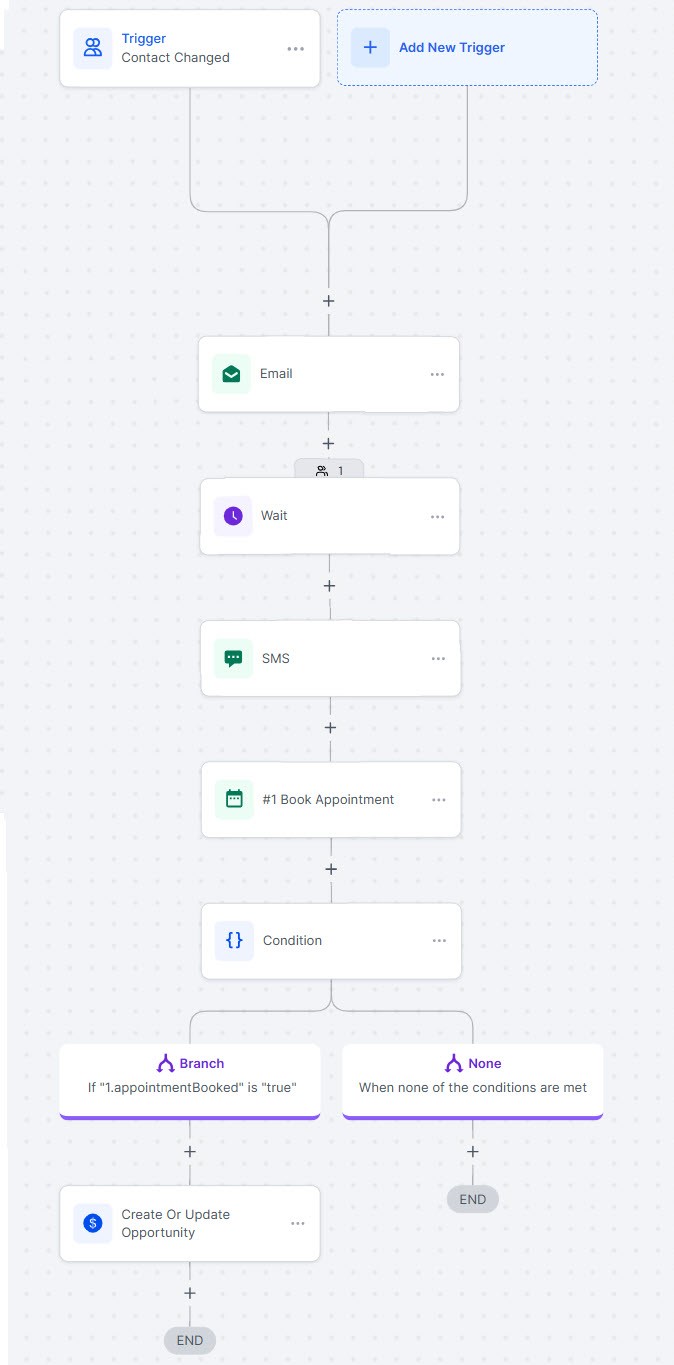
I built a GoHighLevel reactivation workflow to identify dormant contacts and nurture them with personalized messaging.
How the workflow works
- Identify the dormant-contact segment.
- Start the personalized re-engagement sequence.
- Deliver the nurture messages through the configured campaign.
WHAT THE SYSTEM DELIVERS
Dormant contacts have a repeatable re-engagement path instead of remaining outside the active follow-up process.
GoHighLevel · Contact segmentation · Messaging
HAVE A SIMILAR CHALLENGE?